


|
Name |
Smart Launcher Pro |
|---|---|
|
Google Play Link |
GET IT ON
Google Play
|
|
Category |
Personalization |
|
Developer |
Smart Launcher Team |
| Last version | 6.6 build 021 |
|
Updated |
|
|
Compatible with |
Android 6.0+ |
Introduction to Smart Launcher Pro APK
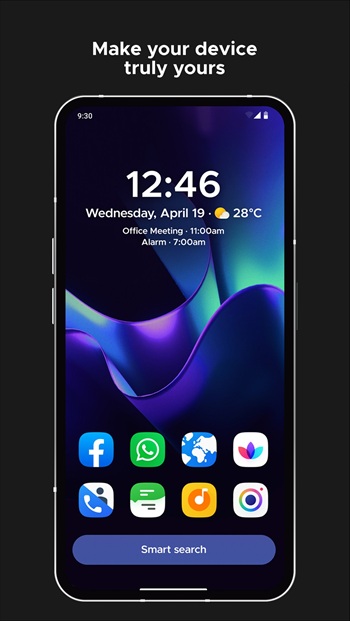
Smart Launcher Pro APK is an Android personalization app that gives your phone a cleaner, faster, and more organized home screen. It replaces the default launcher with a smarter layout, automatic app categories, quick search, gesture controls, adaptive icons, and themes that match your wallpaper.
The app is mainly used to make daily phone use simpler. Instead of scrolling through messy app pages, Smart Launcher Pro sorts apps into clear groups, so you can find what you need faster. It is useful for people who install many apps and want their home screen to feel less chaotic. Your phone gets a little brain upgrade, minus the dramatic sci-fi soundtrack.
One of its strongest features is automatic app sorting. Games, tools, communication apps, media apps, and other categories are arranged for you. The smart search bar also helps you find apps, contacts, web results, and basic calculations in a few taps. This makes the launcher feel practical, especially when you want speed over decoration.
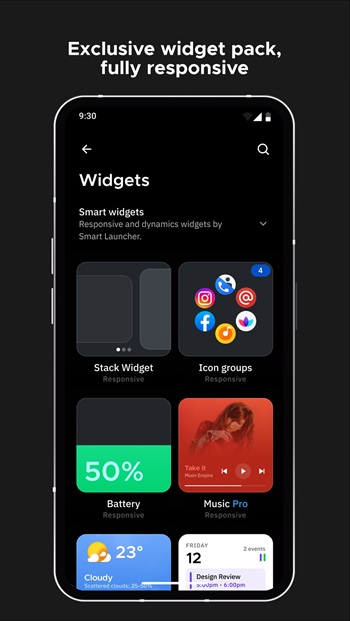
Smart Launcher Pro also focuses on comfort. Its interface is designed for one-hand use, with important controls placed closer to the bottom of the screen. It supports gestures and hotkeys, so you can open panels, lock the screen, or trigger actions with simple swipes and taps. Built-in widgets, notification indicators, and immersive mode add more convenience without making the layout feel crowded.
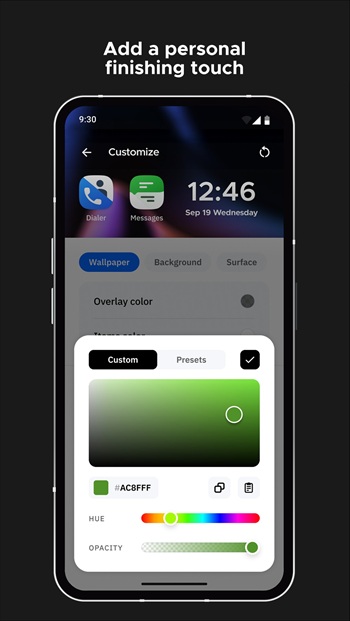
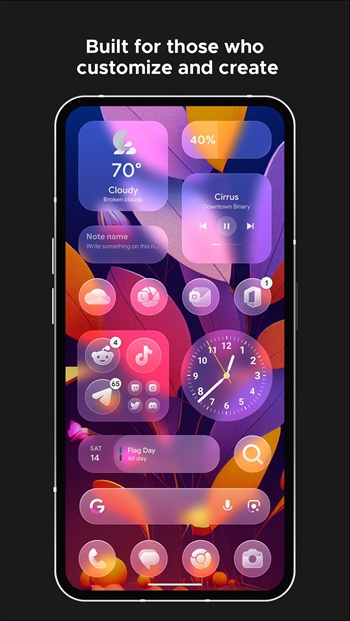
Customization is another big reason people use it. You can change colors, icons, fonts, widgets, and home screen details to match your style. The ambient theme feature adjusts the launcher colors based on your wallpaper, which helps the whole setup feel more consistent. Adaptive icons also give apps a cleaner look across different Android versions.
There are a few limitations to know. Some advanced features may require the Pro version, and new users might need time to adjust if they are used to the default Android launcher. Gesture features may also need optional Accessibility permission, such as for locking the screen or opening the notification panel. The app states that this access is used for those functions, but users should still review permissions before enabling them.
Smart Launcher Pro APK is suitable for Android users who want a tidy phone, faster app access, and deeper home screen control. It works well for students, workers, creators, and anyone who checks their phone often but hates messy icons. It is most useful when your app drawer feels overloaded and your home screen needs a calmer, smarter layout.
FAQs Smart Launcher Pro
What is Smart Launcher Pro used for?
+
Smart Launcher Pro is used to replace the default Android home screen with a cleaner launcher that sorts apps, supports quick search, offers gestures, and gives users more control over layout and style.
Who should use Smart Launcher Pro?
+
Smart Launcher Pro is a good fit for Android users who want faster app access, a neater app drawer, one-hand navigation, and more visual control over their home screen.
Does Smart Launcher Pro organize apps automatically?
+
Yes. Smart Launcher Pro can sort installed apps into categories automatically, which helps reduce clutter and makes apps easier to find without manual folder setup.
What are the main features of Smart Launcher Pro?
+
Smart Launcher Pro includes automatic app sorting, smart search, adaptive icons, wallpaper-matching themes, gesture controls, built-in widgets, notification indicators, hidden apps, and home screen customization.
Does Smart Launcher Pro require special permissions?
+
Some features may ask for optional Accessibility access, mainly for actions like turning off the screen or opening the notification panel with gestures. Users can review and enable these permissions based on the features they want to use.
Discover More Interesting Apps
-
 Mod
Mod
Niagara Launcher
v1.16.30
13.38 Mb
Updated -
iGlass OS Icon
v7.0
0
Updated -
iGlass OS Colors
v7.0
0
Updated -
NewThing Widgets Pro
v2.7
23.00 Mb
Updated -
Mod
ZEDGE
v9.38.3
114.34 Mb
Updated -
Mod
Lumia Kwgt
v6.0.0
86 MB
Updated -
Mod
Always On Edge
v9.7.5
8.14 Mb
Updated -
Mod
Sticlo Icons
v2.2
25 MB
Updated -
Keys Cafe
v3.11.8
43.25 Mb
Updated -
Mod
Shimeji
v14.0
17.42 Mb
Updated








Share Your Thoughts